How to Plan a Baecation in Minutes

From "we should go somewhere" to a real plan
You know the conversation. One of you says, "We should really get away." The other says, "Yes, let's!" Then life happens, and the trip stays a someday.
Usually the dreaming isn't what stalls it. It's the planning: a dozen browser tabs, a group chat of links, and the quiet worry that you're building a trip for tourists instead of for the two of you.
BaecationMe was made for exactly this moment. You tell it where you want to go and the vibe you're after, and it helps you build a day-by-day romantic itinerary of real places, mapped out with the weather and a running cost estimate. Here's how to plan a baecation in minutes, step by step.
How to plan a baecation in 7 easy steps
To show you exactly how it works, we planned a sample trip on BaecationMe: a romantic long weekend in Toronto, driving in from Detroit. Here's every step.
Step 1: Tell us where and when
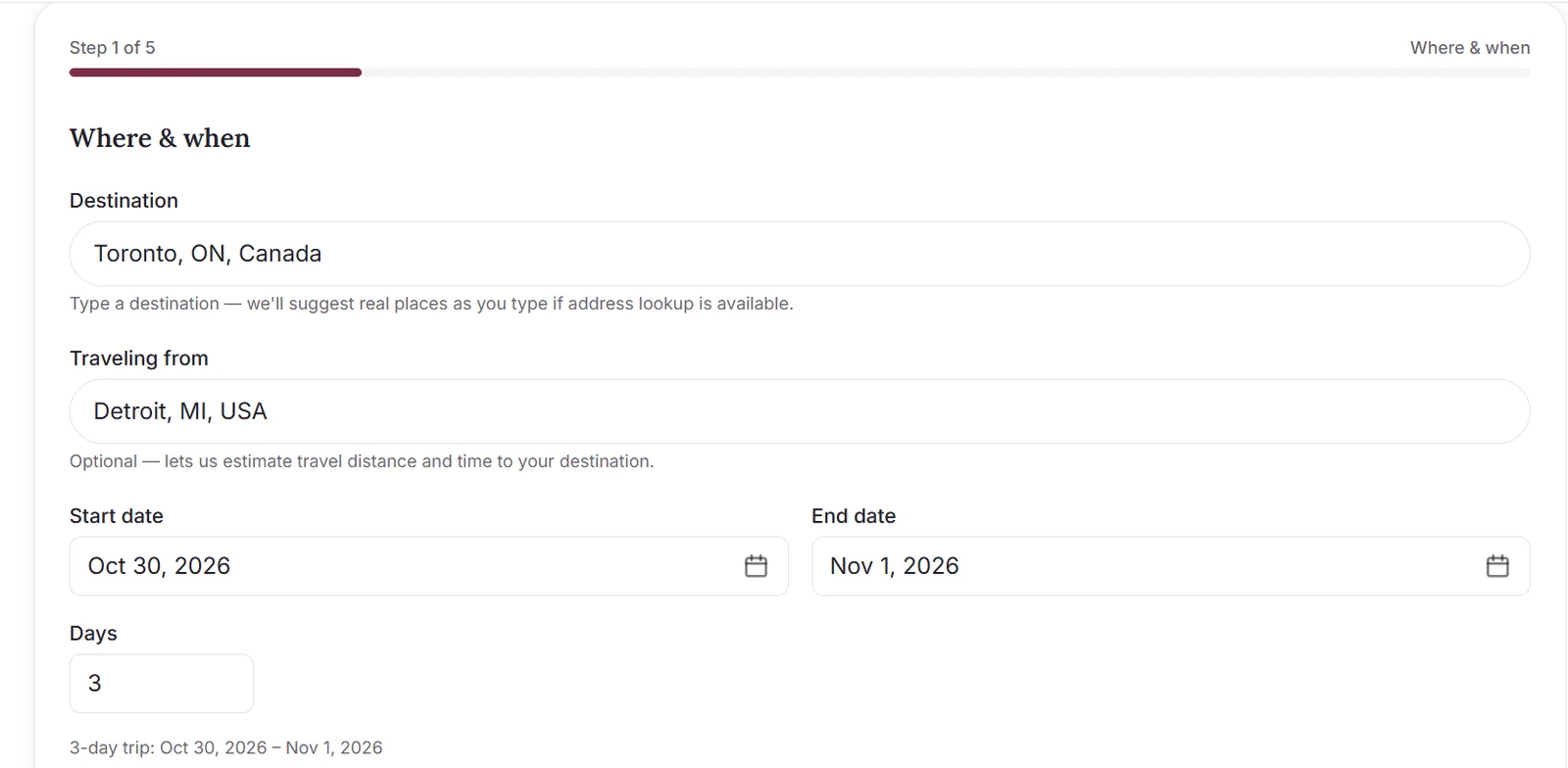
On the homepage, click Plan your trip. The first screen, Where & when, asks for the basics:
- Destination: start typing and BaecationMe suggests real places as you go.
- Traveling from: optional, but it lets BaecationMe estimate your travel distance and time.
- Start date and end date: the number of days fills in for you.
- Travelers: usually two, but it's your baecation.
Step 2: Set your theme and vibe
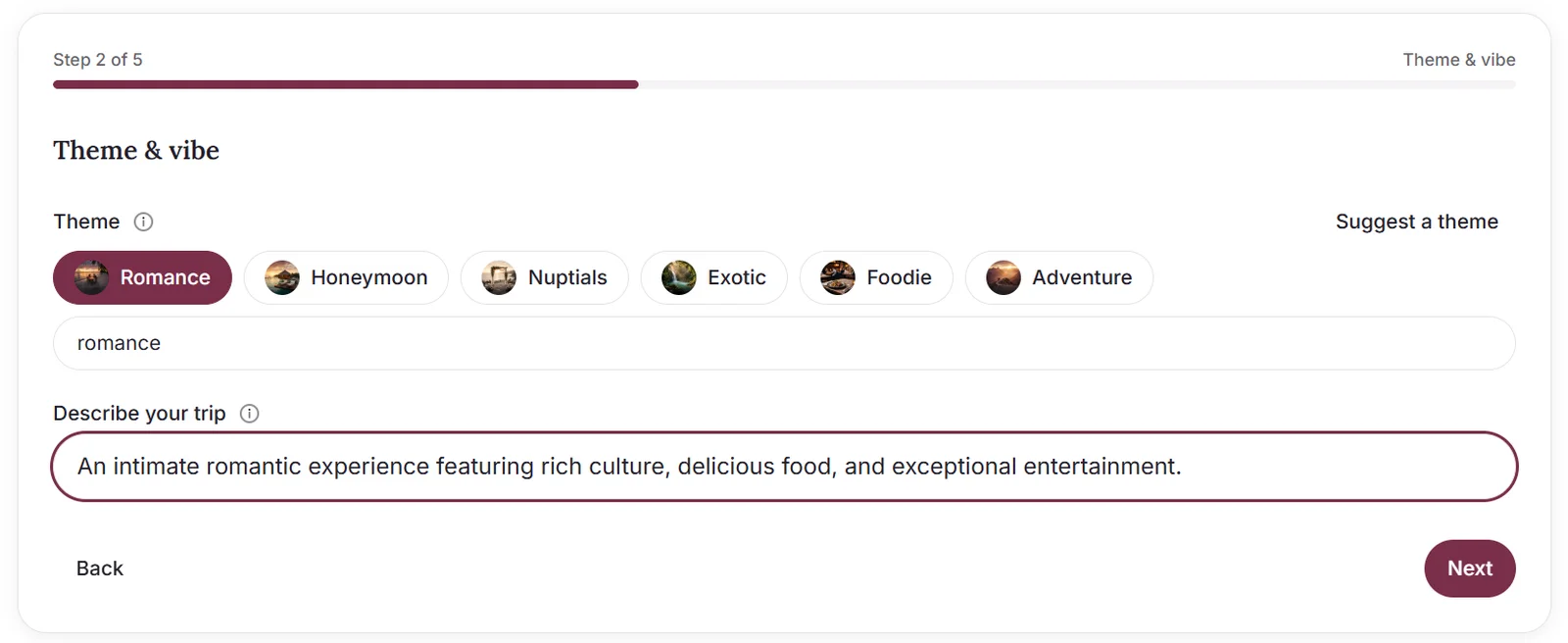
This is where the trip starts to feel like yours. Pick a theme: Romance, Honeymoon, Nuptials, Exotic, Foodie or Adventure. You can also type your own theme, or tap Suggest a theme if you're stuck. Your theme shapes the mood of every suggestion.
Then use Describe your trip for the specifics, like your pace, must-sees or anything to avoid. We picked Romance and wrote: "An intimate romantic experience featuring rich culture, delicious food, and exceptional entertainment."
Step 3: Choose how you'll get there
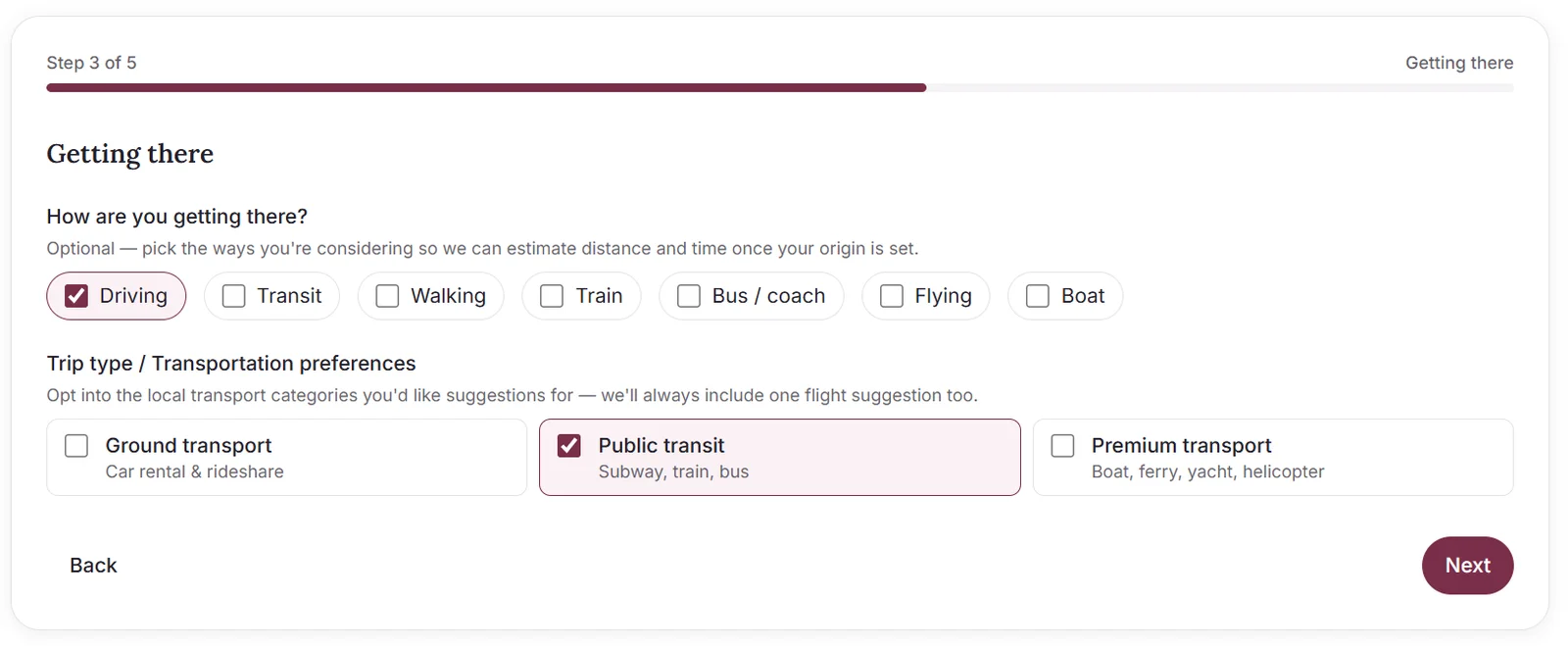
On Getting there, check the ways you're considering: driving, transit, walking, train, bus, flying or boat. Then choose which local transportation you'd like suggestions for: ground transport (car rental and rideshare), public transit, or premium transport like a boat, ferry, yacht or helicopter. BaecationMe always includes a flight suggestion too.
Everything here is optional. We chose driving to get there and public transit for getting around the city.
Step 4: Add your preferences
Your preferences is where you fine-tune the plan:
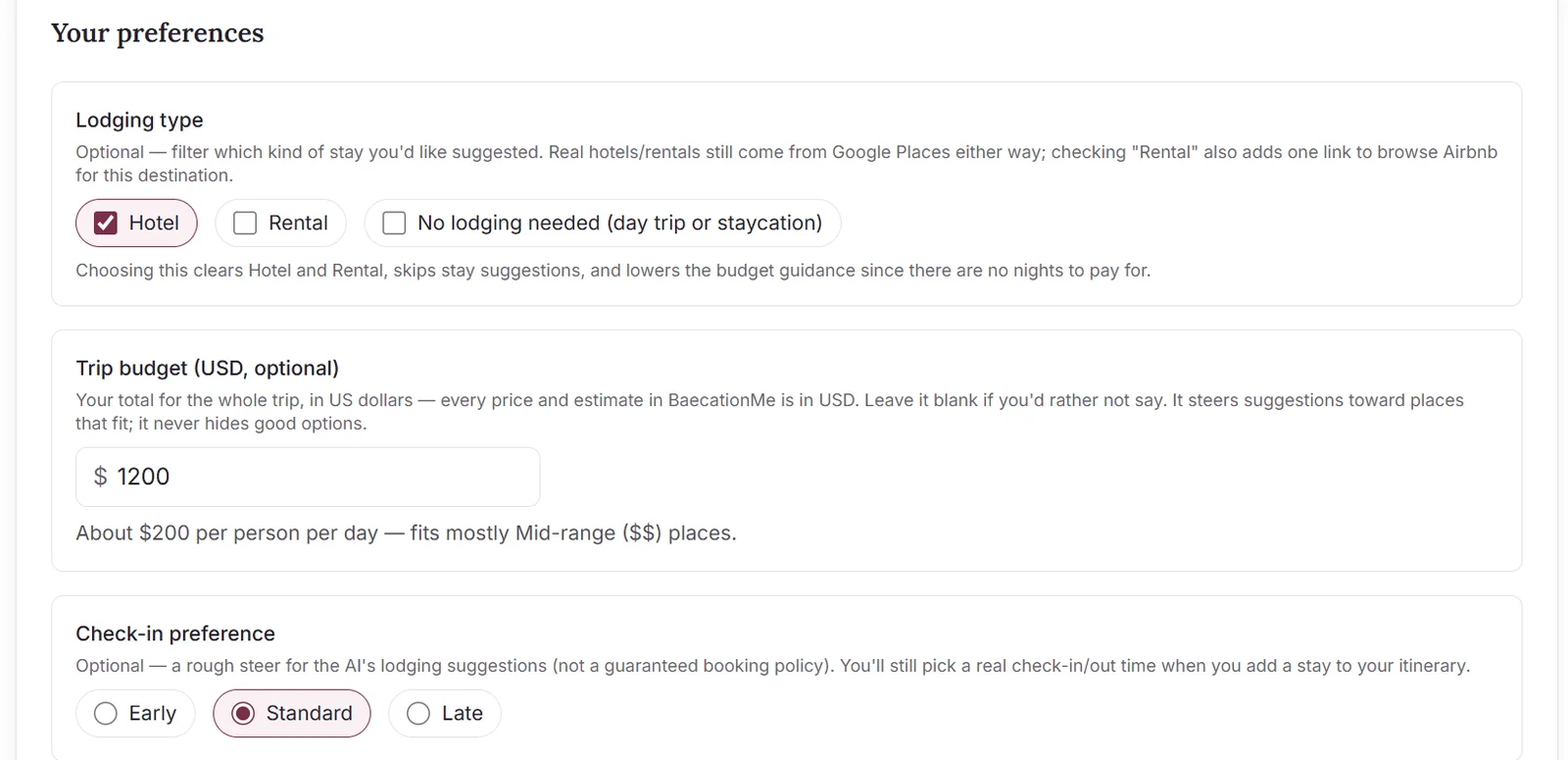
- Lodging type: hotel, rental, or no lodging at all for a day trip or staycation.
- Trip budget: your total for the whole trip, in US dollars. It steers suggestions toward places that fit, without hiding good options. BaecationMe even translates it for you: our $1,200 worked out to about $200 per person per day, mostly mid-range places.
- Check-in preference: early, standard or late.
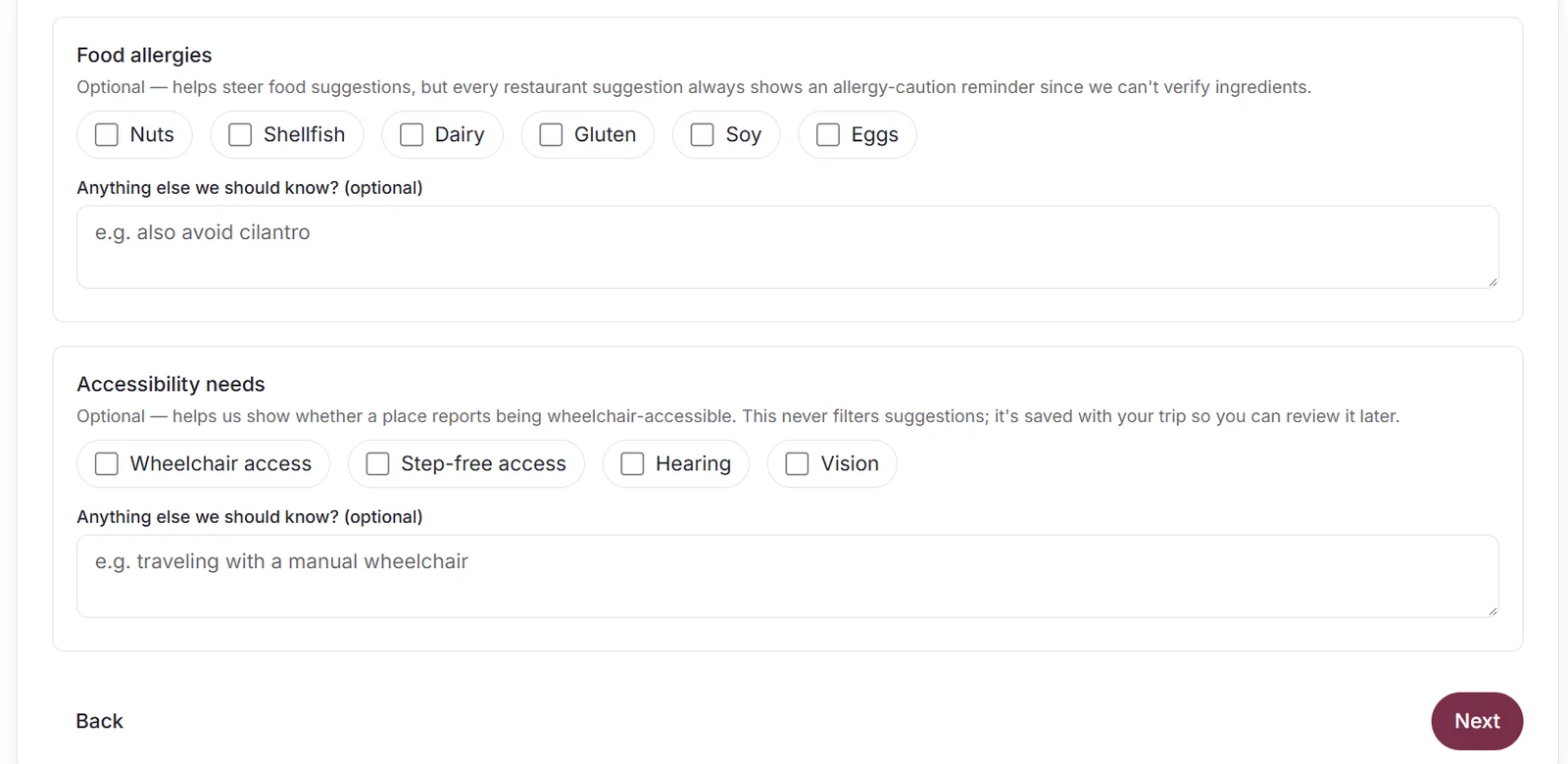
- Food allergies and accessibility needs: these help steer suggestions. Every restaurant suggestion includes an allergy reminder, and places show whether they report being wheelchair accessible.
Step 5: Review and get your suggestions
Check everything on the review screen, use Edit to change anything, then click Get suggestions.
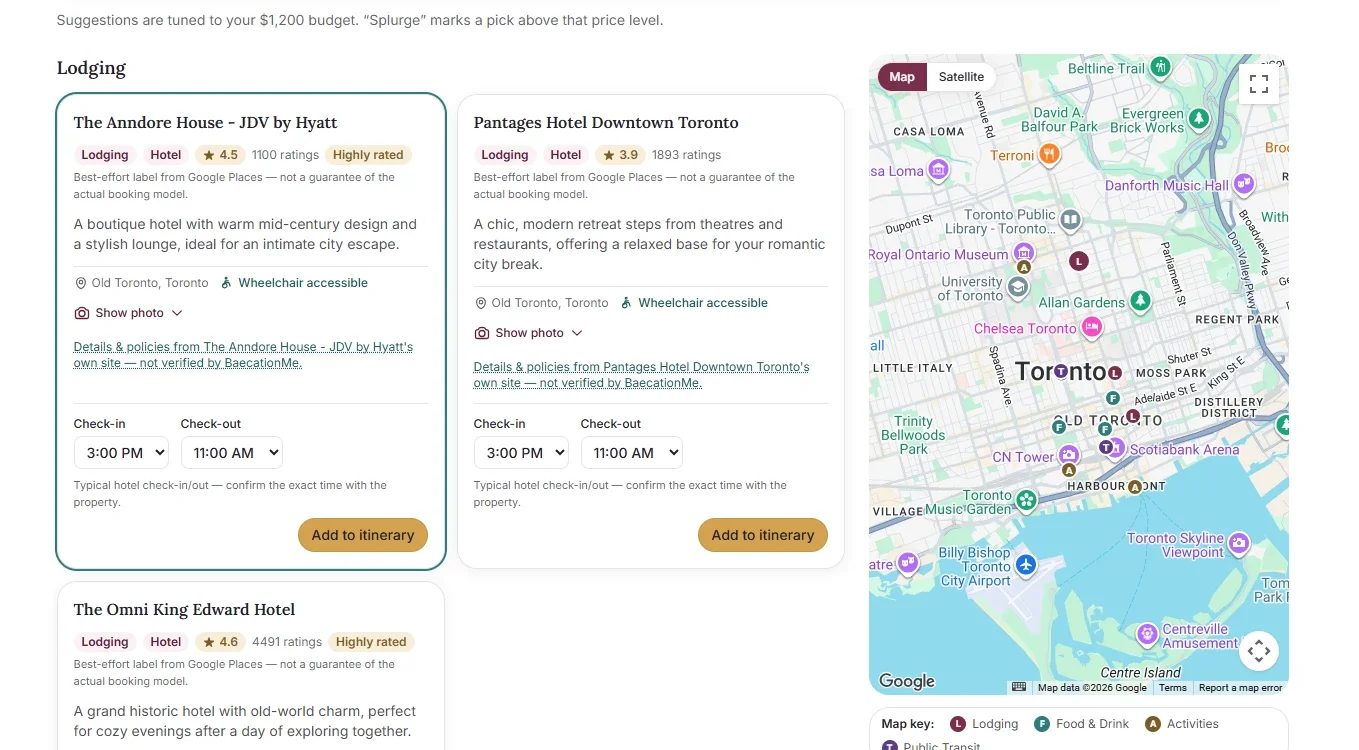
In moments, you'll see ideas sorted into lodging, food and drink, activities, flights and the local transport you picked, all pinned on a map. Every place is checked against Google Places, so you're only shown places that are real. If a suggestion can't be verified, it's skipped, and BaecationMe tells you so. Each pick comes with a suggested day and time, and anything above your budget is marked Splurge.
Step 6: Build your day-by-day itinerary
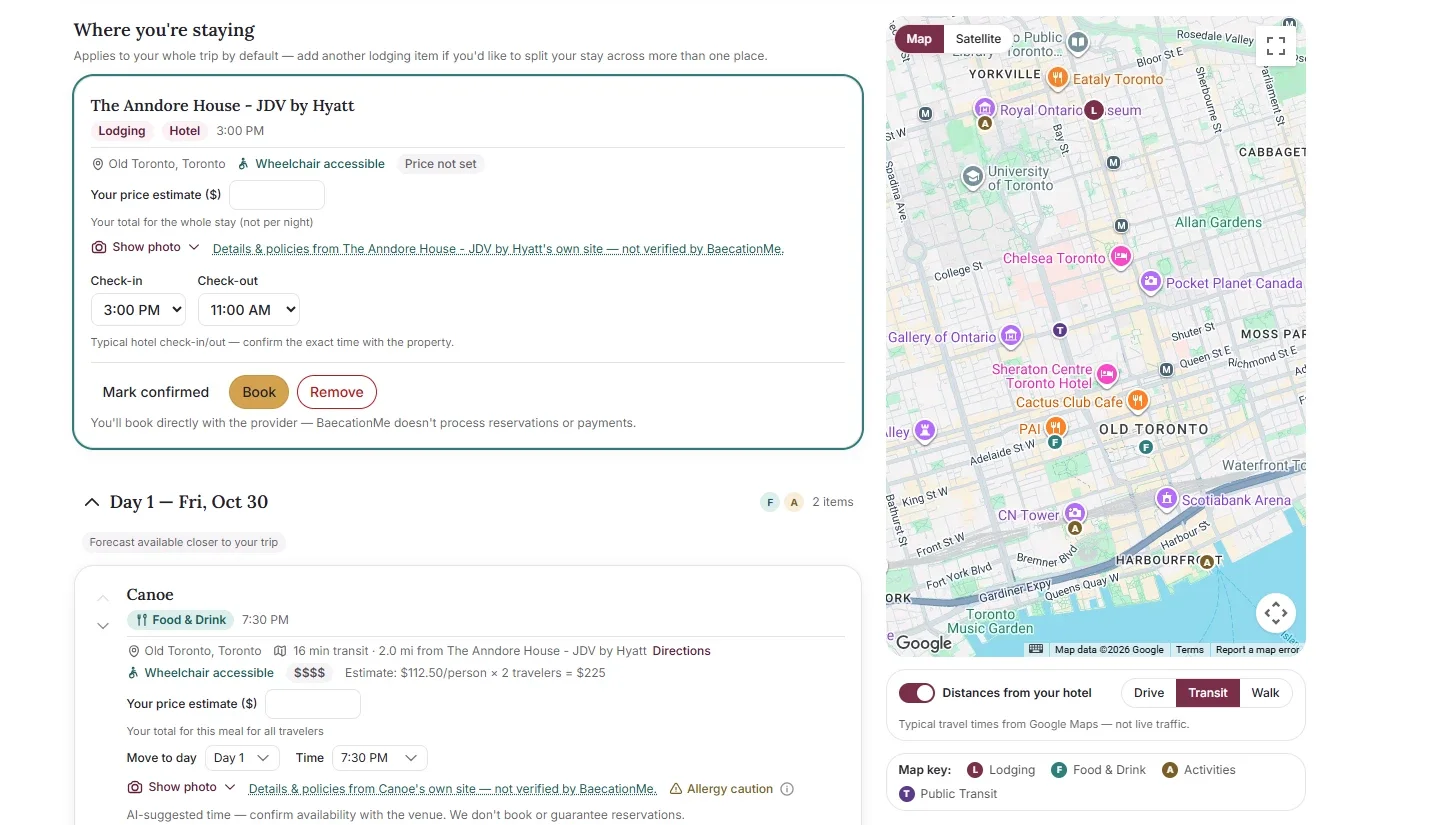
Tap Add to itinerary on the places you love. We added a downtown hotel, a Friday-night dinner and a few restaurants and activities across our three days. Then click View itinerary.
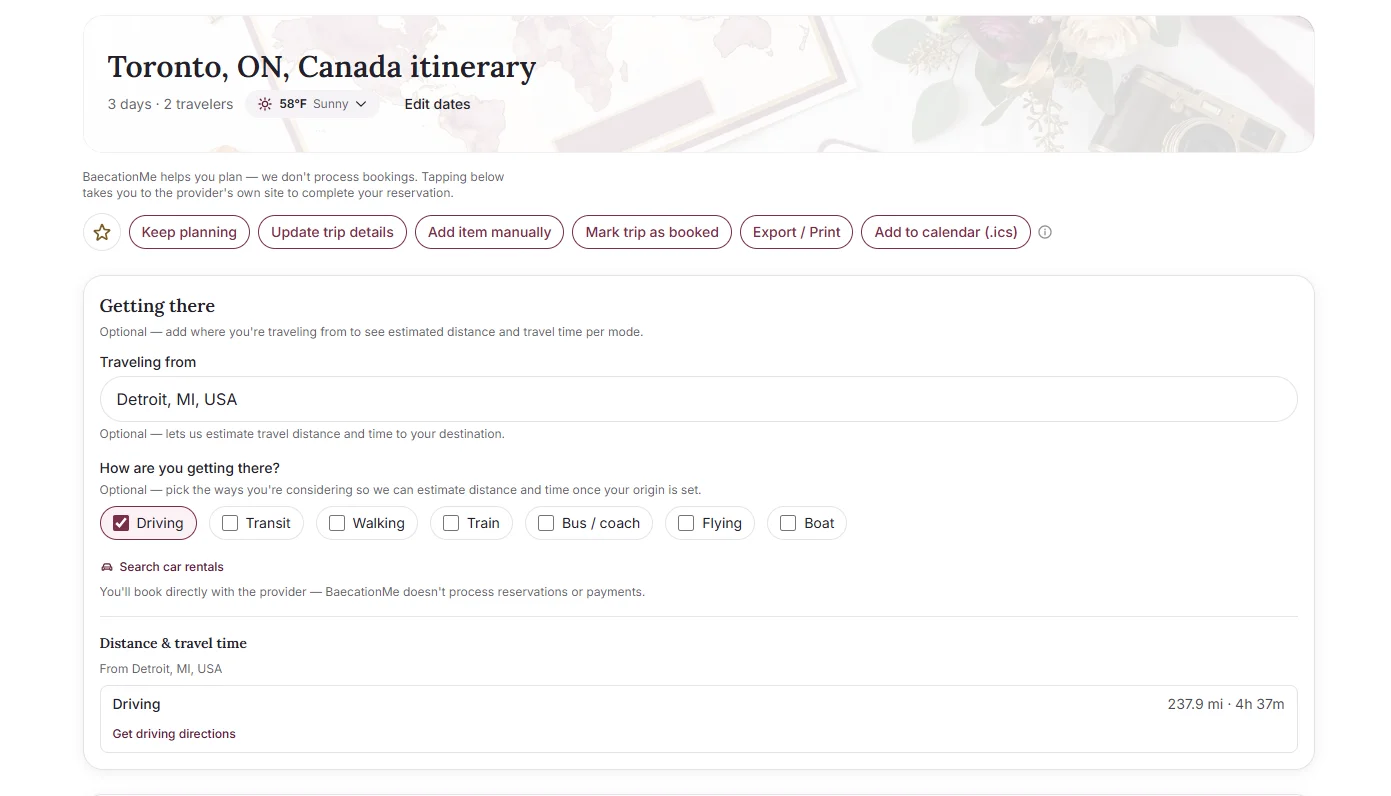
Your itinerary shows:
- Each day's plan, with stops you can move between days or retime.
- A map of every stop, with distances from your hotel. Our Friday dinner spot was a 16-minute transit ride away.
- The weather, with a day-by-day forecast as your trip gets closer.
- Your drive from home, with distance and travel time.
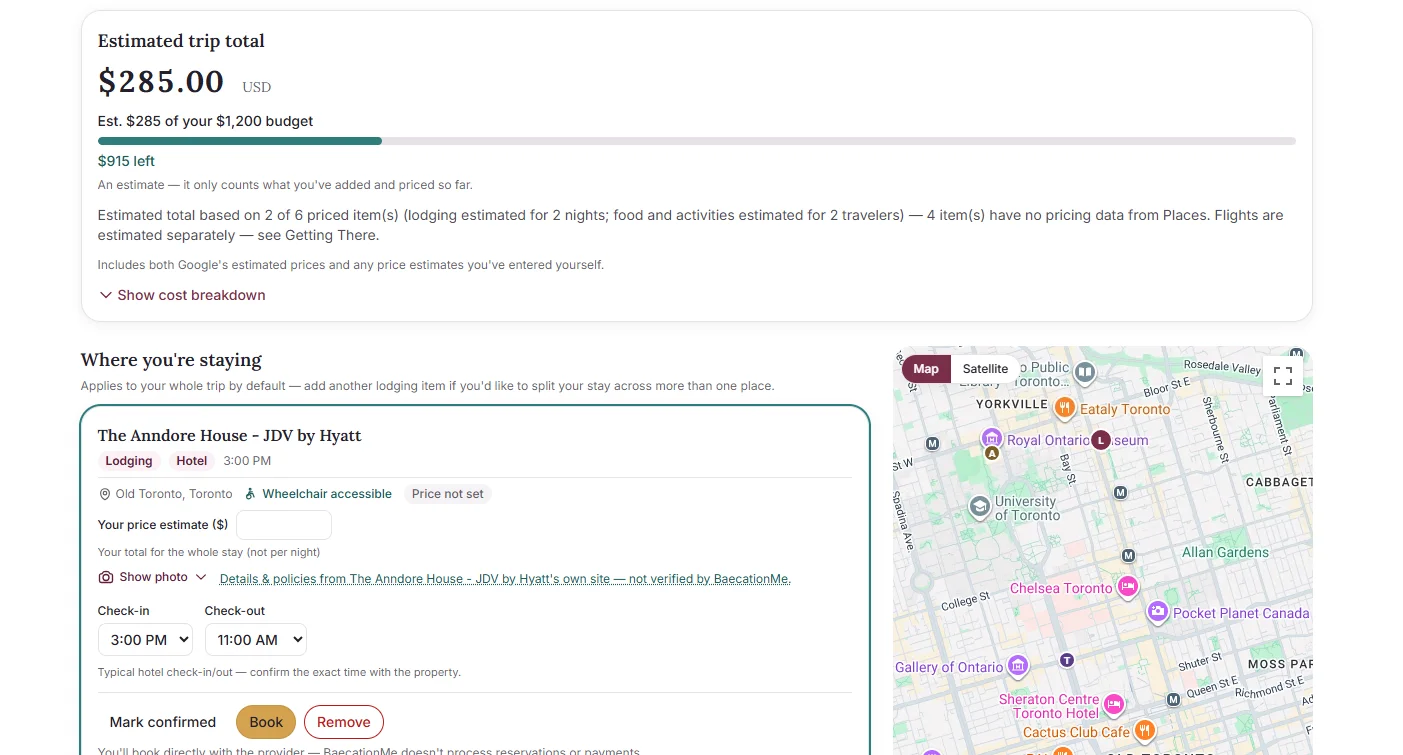
- An estimated trip total measured against your budget. If a place doesn't list prices, add your own estimate so the total stays useful.
Step 7: Book it, save it and put it on the calendar
When the plan feels right, make it real:
- Book on any stop takes you to the provider's own site to reserve (Premium). BaecationMe helps you plan; it doesn't process bookings or payments.
- Mark confirmed keeps track of what you've reserved, and Mark trip as booked when it's all set.
- Export / Print gives you a copy to take along.
- Add to calendar (.ics) works with Google Calendar, Apple Calendar and Outlook (Premium).
Change your mind? Keep planning or Update trip details anytime.
Free or Premium?
You can start planning for free: one AI trip plan a day, with day-by-day itineraries, maps, weather and travel times from your hotel. Premium adds unlimited trip plans, one-click booking links and calendar sync. See pricing for the details.
Tips for a better baecation plan
- Plan it together. Sit side by side for step 2. Picking the vibe as a team is half the fun, and it heads off the "I thought we were doing a beach trip" moment.
- Give each day one anchor. One standout dinner, show or experience per day is plenty. Build the rest around it.
- Stay close to the good stuff. Use the distances from your hotel to keep your favorite stops nearby, so you're not losing hours in transit.
- Check the weather before you lock it in. Keep an indoor backup for any day that looks rainy.
- Leave room to wander. The best moment of the trip is often the one you didn't schedule.
Your baecation is a few minutes away
The hardest part of any getaway is getting it off the "someday" list. With your vibe, your budget and your days mapped out in one place, all that's left is choosing the dates.
So pick a weekend, pick a vibe, and plan it together.